I work on the Lottie Creator - a browser-based animation editor - so I’m surrounded by Lottie files every day. The LottieFiles macOS app has a quickview extension, but it was unreliable and forced me into Finder to use it. I spend most of my time in the terminal and the files I need are already there.
Screenshot
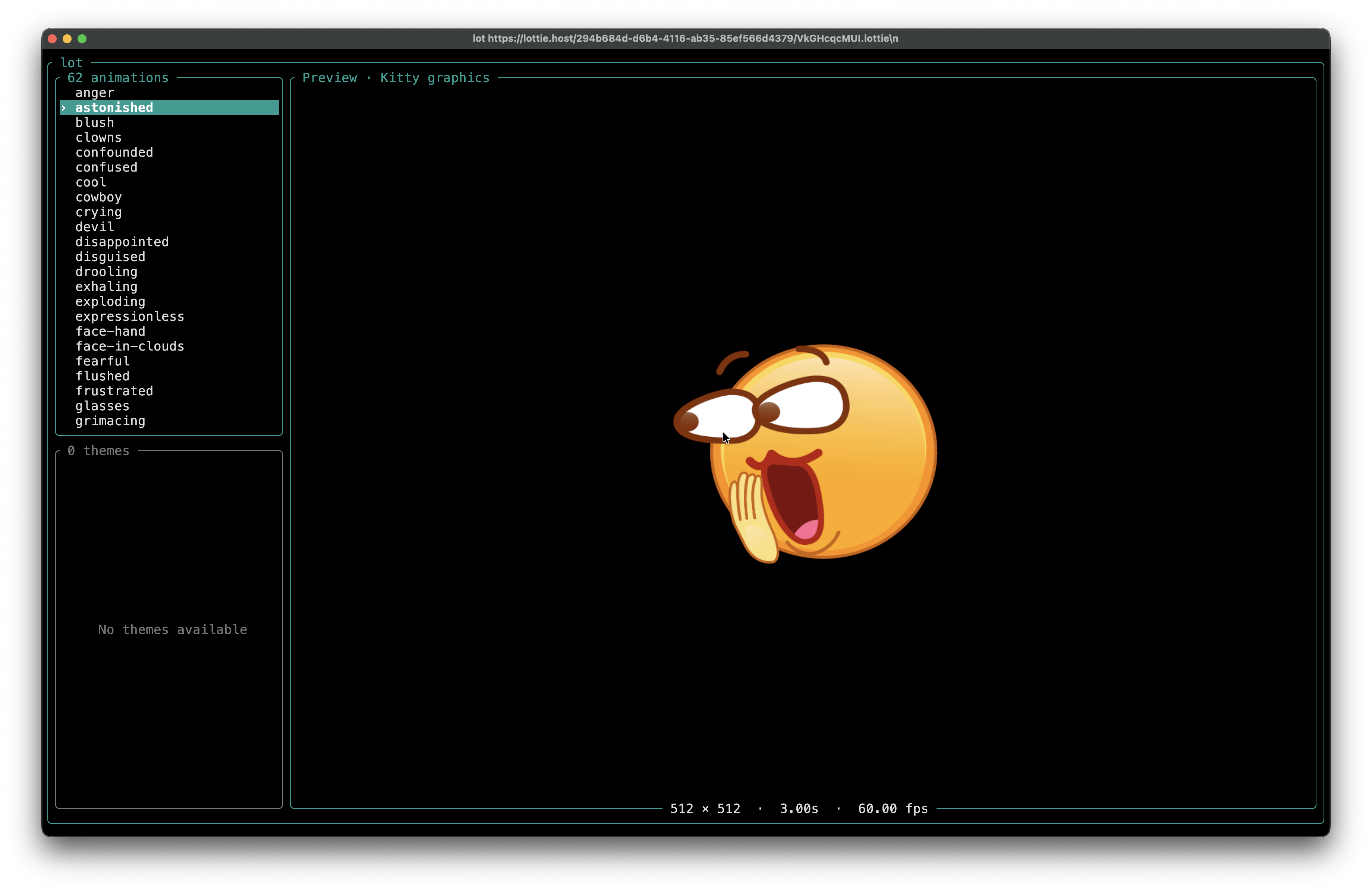
Usage
Preview a local Lottie JSON or dotLottie animation:
lot animation.lottie
lot animation.json
It can also download an animation directly:
lot https://lottie.host/294b684d-d6b4-4116-ab35-85ef566d4379/VkGHcqcMUI.lottiedotLottie files can contain multiple animations and themes: use Up/Down to select, Tab to switch panels, Space to pause, Left/Right to step frames, and q or Esc to quit.
Interactive previews use the Kitty graphics protocol. lot recognizes Kitty, WezTerm, Ghostty, and Warp from terminal environment variables, but does not probe graphics support. Other terminals still open the metadata view, but do not render the animation.
Export
lot can stream one animation pass as raw RGBA frames, which makes it useful in shell pipelines:
lot animation.lottie --headless --width 512 --height 512 --fps 30 \
  | ffmpeg -y -f rawvideo -pixel_format rgba -video_size 512x512 \
      -framerate 30 -i - -c:v libx264 -pix_fmt yuv420p output.mp4
Headless output contains frames only. Download progress and errors stay on stderr. For dotLottie files, --animation-id and --theme select manifest entries.
Install/Availability
brew install KarthikeyanRanasthala/tap/lotPrebuilt Homebrew bottles are published for macOS Tahoe on Apple Silicon and Intel. On other macOS or Linux Homebrew installations, the formula builds from the released vendored source archive.